




A complete keyword research tutorial that shows you exactly how to find the right keywords using only free tools no paid subscriptions required.
If you’re new to SEO or content creation in 2026, this guide is built for you. By the end, you’ll understand what keyword research is, why it matters more than ever, and how to do it step by step with tools that cost nothing. You’ll walk away with a ready-to-use system you can apply to your blog, YouTube channel, or online business today.
Let’s dive in.
What Is Keyword Research and How Does It Work?
Keyword research is the process of discovering the exact words and phrases people type into Google (and other search engines) when they’re looking for information, products, or solutions.
Why it matters in 2026:
- Google now uses AI Overviews that summarize answers directly on the search page.
- Search intent (what the user really wants) is more important than ever.
- Competition is fierce, but low-competition, high-intent keywords still exist especially long-tail ones (longer, more specific phrases).
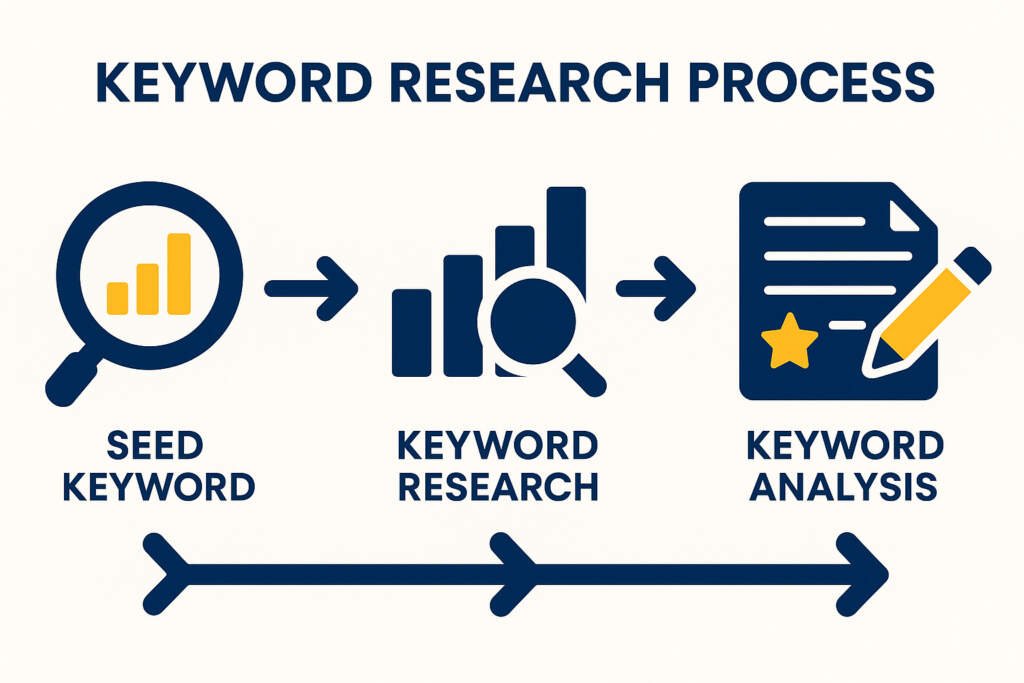
How it works in simple terms:
- You find out what people are searching for.
- You check how many searches each phrase gets per month (search volume).
- You measure how hard it is to rank for that phrase (keyword difficulty).
- You understand the searcher’s intent (informational, navigational, commercial, or transactional).
- You create content that perfectly matches that intent and target the keyword.
Result? Your content shows up in front of the right people, you get free traffic, and you grow faster.
Important Fundamentals Beginners Must Understand
Before you touch any tool, learn these core ideas:
- Search Volume: How many times a keyword is searched each month. Higher isn’t always better very high-volume keywords are usually ultra-competitive.
- Keyword Difficulty (KD): A score (0–100) showing how hard it is to rank on page 1. Aim for 0–30 when starting.
- Search Intent: The reason behind the search.
- Informational: “how to” or “what is”
- Navigational: Brand names
- Commercial: “best” or “review”
- Transactional: “buy” or “price”
- Short-tail vs Long-tail keywords:
- Short-tail: “yoga” (high volume, high competition)
- Long-tail: “yoga for beginners at home 30 minutes” (lower volume, much easier to rank)
- Relevance: Only target keywords that match your topic and audience.
Quick checklist for every keyword you consider:
- Does it match what I can actually write about?
- Is the search volume at least 100–300/month (good for beginners)?
- Is the difficulty under 30?
- Can I create better content than the current top 10 results?
Step-by-Step Guide: Your Free Keyword Research Tutorial
Follow this exact process every time. It takes 30–60 minutes once you get the hang of it.
Step 1: Brainstorm Seed Keywords (5–10 minutes)
Write down 3–5 broad topics related to your niche. Example niche: Yoga for beginners Seed keywords: yoga, beginner yoga, yoga at home, yoga poses, yoga benefits
Step 2: Use Free Tools to Expand Your List (15–20 minutes)
We’ll cover the exact tools in the next section. For now, plug your seed keywords into each tool and collect 20–50 related keywords.
Step 3: Analyze Each Keyword (10–15 minutes)
For every keyword, note:
- Monthly search volume
- Keyword difficulty
- Intent type
- Top 3 ranking pages (open them and ask: “Can I make something 10x better?”)
Step 4: Choose Your Target Keywords
Pick 3–5 keywords per piece of content:
- 1 primary (main focus)
- 2–4 secondary (use naturally in subheadings)
Step 5: Map Keywords to Content
Create a simple spreadsheet:
| Keyword | Volume | Difficulty | Intent | Content Type | Priority |
|---|---|---|---|---|---|
| yoga for beginners at home | 1,200 | 18 | Informational | Blog post + video | High |
Step 6: Create and Optimize Content
Use the primary keyword in title, first paragraph, headings, and naturally throughout. Answer the searcher’s question completely.
Best Free Tools for Keyword Research in 2026 (and Exactly How to Use Them)
Here are the top 5 completely free (or generous free-tier) tools that give you everything you need. No credit card required.
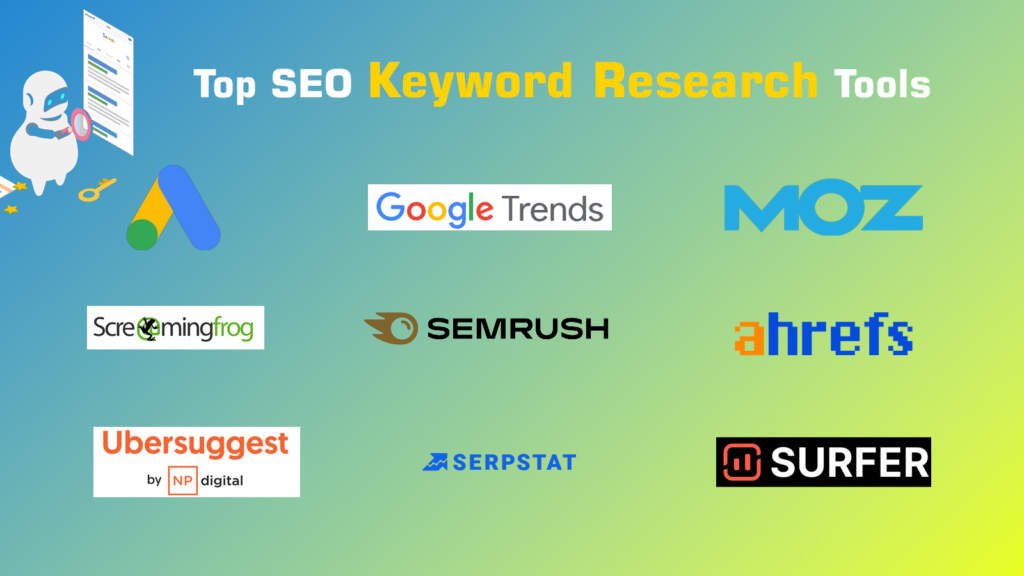
1. Google Keyword Planner (Best for Accurate Search Volume)
What it does: Gives real Google search volume data and keyword ideas. When to use: Every single project start here for reliable numbers. How to use it:
- Go to ads.google.com and create a free Google Ads account (no need to spend money).
- Click “Tools & Settings” → “Keyword Planner” → “Discover new keywords”.
- Enter your seed keywords or a competitor URL.
- Filter by volume, competition, and location. Pro tip: Use the “Start with a website” option paste a competitor’s blog post URL to discover their keywords instantly. Limit: Unlimited. Best for: Beginners who want trustworthy data.
2. Google Trends (Best for Understanding Trends & Seasonality)
What it does: Shows how search interest changes over time and by location. When to use: Before writing evergreen content or planning seasonal posts. How to use it:
- Go to trends.google.com.
- Type your keyword and compare up to 5 terms.
- Check “Interest over time” graph and “Related queries”. Example: Compare “yoga” vs “online yoga classes” to see rising trends. Best for: Avoiding dead keywords and spotting breakout opportunities.
3. Ubersuggest (Best All-in-One Free Tier Tool)
What it does: Gives search volume, keyword difficulty, content ideas, and competitor insights. When to use: After Google Keyword Planner to get difficulty scores and content inspiration. How to use it:
- Go to neilpatel.com/ubersuggest.
- Enter a keyword.
- Look at “Keyword Ideas,” “SEO Difficulty,” and “Content Ideas” tab (shows what’s already ranking). Free limit: 3 searches per day (use wisely do your main research first). Pro tip: Enter a competitor domain to see all the keywords they rank for.
4. AnswerThePublic (or Answer Socrates) (Best for Long-Tail Questions)
What it does: Turns your seed keyword into hundreds of real questions people ask (great for “People Also Ask” sections). When to use: To find informational long-tail keywords and structure your content. How to use it:
- Go to answerthepublic.com (free version available).
- Type your seed keyword.
- Download the visual wheel of questions or the CSV list. Example: Type “yoga for beginners” → get “how to start yoga for beginners”, “best yoga mat for beginners”, etc. Best for: Creating FAQ-rich blog posts that rank in AI Overviews.
5. Google Search Console (Best for Your Own Website Data)
What it does: Shows exactly which keywords your site is already getting impressions for. When to use: After you publish content to find easy wins. How to use it:
- Set up your site at search.google.com/search-console.
- Go to “Performance” → “Search results”.
- Filter for low-position keywords (positions 4–20) and optimize those pages.
Bonus free combo tip: Use Google itself type your keyword and scroll to “People Also Ask” and “Related searches” at the bottom.
Practical Example: Full Keyword Research for a “Yoga for Beginners” Blog
Seed: yoga for beginners Using the tools:
- Google Keyword Planner: “yoga for beginners at home” → 1,200 searches/month
- Ubersuggest: Difficulty 18, Content Ideas show top posts are 1,500-word guides
- AnswerThePublic: 87 questions including “yoga for beginners over 50”
- Google Trends: Rising in India and USA during January (New Year resolutions)
Chosen primary keyword: “yoga for beginners at home” Content created: 2,000-word ultimate guide + 10-minute YouTube video + free printable routine. Result you can expect: Page 1 ranking within 3–6 months with consistent effort.
Common Mistakes Beginners Make (Avoid These!)
- Chasing only high-volume keywords (they’re too competitive).
- Ignoring search intent (you write a sales page when people want a tutorial).
- Using only one tool (always combine at least two).
- Forgetting to check competitors’ content quality.
- Not updating keyword research monthly (trends change fast in 2026).
- Stuffing keywords unnaturally (Google hates this).
Best Practices and Strategies That Actually Work
- Focus on topical authority: Target clusters of related keywords instead of single ones.
- Prioritize long-tail keywords (3+ words) they convert better and rank faster.
- Create content that beats the current top 10 (better design, updated info, visuals, downloadable resources).
- Track everything in a free Google Sheet.
- Update old content with new keywords you discover.
- Think AI Overviews: Answer questions directly and use clear structure (H2s, lists, tables).
Actionable 30-day checklist:
- Day 1–3: Pick niche and brainstorm 20 seed keywords
- Day 4–10: Run through all 5 free tools
- Day 11–20: Choose 10 target keywords and create 2 pieces of content
- Day 21–25: Publish and submit to Google Search Console
- Day 26–30: Analyze performance and repeat
Tips to Improve Results with Free Tools

- Combine tools: Volume from Google Keyword Planner + difficulty from Ubersuggest.
- Use incognito mode in Google to see unbiased results.
- Check mobile vs desktop volume (most searches are now mobile).
- Re-run research every month 2026 search behavior changes quickly.
- Pair with free AI (ChatGPT or Gemini) to brainstorm content angles from your keyword list.
- Start small: One niche, one piece of content, one keyword cluster.
Key Takeaways
Keyword research is not complicated it’s a repeatable system anyone can learn. By using only the free tools above, you can find profitable keywords, understand searcher intent, and create content that actually ranks in 2026.
You now have a complete keyword research tutorial that works. No more guessing. No more expensive tools. Just consistent action.
Start today: Open Google Keyword Planner, type your first seed keyword, and build your first list.
Your future readers (and your traffic numbers) will thank you.
What’s your niche? Drop it in the comments and I’ll give you 5 starter keywords for free to kickstart your research.
Frequently Asked Questions (FAQs)
1. What is keyword research?
Keyword research is the process of finding the exact words and phrases people type into Google when searching for information, products, or solutions. It helps you create content that matches what your audience is actually looking for.
2. Do I need to pay for tools to do keyword research?
No. You can do professional-level keyword research completely free using tools like Google Keyword Planner, Google Trends, Ubersuggest (free tier), AnswerThePublic, and Google Search Console.
3. What is the best free tool for keyword research in 2026?
Google Keyword Planner is the best starting point because it gives accurate monthly search volume data directly from Google. Combine it with Ubersuggest for difficulty scores and AnswerThePublic for long-tail question ideas.
4. How many keywords should I target in one blog post?
For beginners, target 1 primary keyword and 2–4 secondary (related) keywords. This keeps your content focused and natural.
5. What is a good keyword difficulty for beginners?
Aim for keywords with difficulty scores between 0–30. These are easier to rank for when you’re just starting out.
6. What are long-tail keywords and why are they important?
Long-tail keywords are longer, more specific phrases (usually 3+ words), such as “yoga for beginners at home 30 minutes”. They have lower competition, higher conversion rates, and are perfect for new websites.


Leave a Comment