


Search engine optimization, or SEO, helps your website appear higher in search results like Google so more people can find and visit it. In 2026, free SEO tools make it easier than ever for beginners to improve their sites without spending money. These tools cover keyword research, technical checks, content optimization, performance monitoring, and more.
What Are Free SEO Tools and How Do They Work?
Free SEO tools are online platforms, browser extensions, or software that help you analyze, optimize, and track your website for better search visibility. They work by pulling data from search engines, crawling your site, or providing insights based on proven SEO principles.
For example, a keyword research tool shows how many people search for certain words each month. A technical audit tool scans your pages for issues like slow loading speed or broken links. An analytics tool tells you how visitors behave once they reach your site.
These tools do not guarantee instant top rankings SEO takes time and consistent effort but they give you clear data and actionable steps. In 2026, many incorporate AI insights while staying accessible for free.
Important Fundamentals Beginners Must Understand
Before using any tool, grasp these core concepts:
- Keywords: Words and phrases people type into search engines. There are short-tail (broad, like “shoes”) and long-tail (specific, like “best running shoes for beginners 2026”).
- On-page SEO: Optimizing elements on your actual pages titles, headings, content, images, and meta descriptions.
- Technical SEO: Behind-the-scenes factors like site speed, mobile-friendliness, secure connections (HTTPS), and proper indexing so search engines can crawl your site.
- Off-page SEO: Signals from outside your site, mainly quality backlinks from other reputable websites.
- User experience and content quality: Search engines now prioritize helpful, engaging content that keeps visitors on your site longer.
- Analytics and performance: Tracking traffic, clicks, and rankings over time to see what works.
Start small. Focus on one page or one topic first. SEO is a marathon consistent small improvements compound over months.
Step-by-Step Guide to Get Started with Free SEO Tools
Follow this simple framework:
Step 1: Set up the foundations Create free accounts for Google Search Console and Google Analytics 4. Verify your website ownership.
Step 2: Research keywords Pick a topic for your page. Use free keyword tools to find relevant terms with decent search volume and lower competition.
Step 3: Optimize on-page elements Write or edit content with your target keyword in the title, headings, and naturally in the text. Use free on-page checkers.
Step 4: Fix technical issues Run site audits and speed tests. Address errors like slow pages or missing mobile optimization.
Step 5: Monitor and improve Check performance data weekly. Create new content or update old pages based on insights.
Step 6: Build basic off-page signals Use backlink checkers to understand your profile and find opportunities for natural links.
Repeat the cycle every month.
30 Free SEO Tools You Must Try in 2026
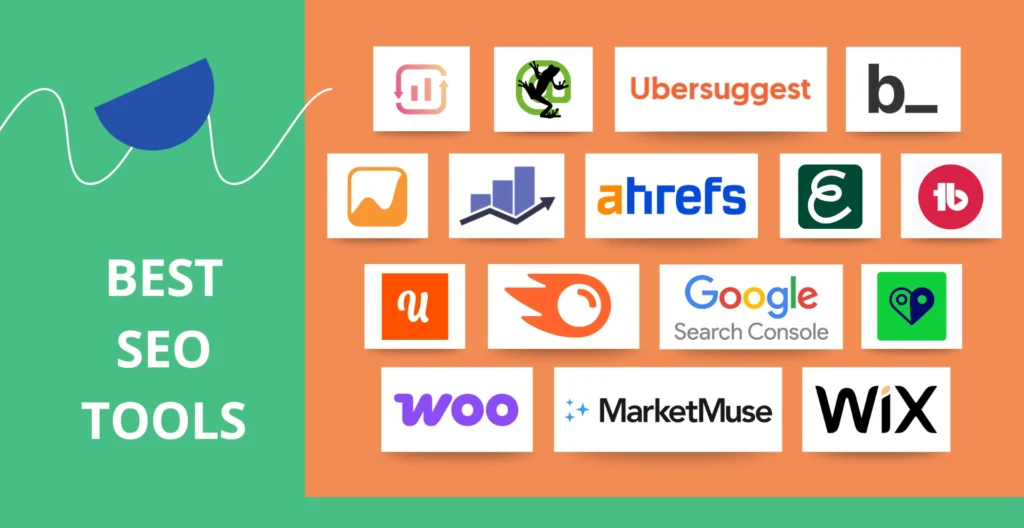
Here is a curated list of 30 practical free tools (or tools with generous free tiers). They are grouped by category for easy reference. Each includes what it does, when to use it, and a beginner tip.
Keyword Research Tools
- Google Keyword Planner What it does: Shows search volume ranges, competition, and keyword ideas directly from Google. When to use: Planning new content or Google Ads. How to use: Sign in with a Google Ads account (free), enter a seed keyword, and review ideas. Tip: Focus on long-tail keywords with volume but lower competition for quicker wins.
- Google Trends What it does: Compares search interest over time and by region. When to use: Finding seasonal trends or rising topics. Example: Compare “winter jackets” vs “summer dresses” to plan content calendar. Tip: Use it alongside Keyword Planner to spot growing interests.
- AnswerThePublic What it does: Generates question-based keyword ideas from autocomplete data (who, what, where, why, how). When to use: Creating FAQ or how-to content. Tip: Export the visual wheel and turn top questions into blog sections.
- Ubersuggest (free tier) What it does: Provides keyword ideas, search volume, difficulty scores, and content suggestions. When to use: Daily keyword brainstorming. Tip: Check the “Content Ideas” tab to see top-ranking pages for inspiration.
- WordStream Free Keyword Tool What it does: Delivers keyword suggestions with competition and CPC data. When to use: Quick research without a Google Ads account.
Technical SEO and Site Audit Tools
- Google Search Console (GSC) What it does: Shows impressions, clicks, indexing status, crawl errors, and Core Web Vitals. When to use: Monitoring real performance in Google search. Step-by-step: Submit your sitemap, fix coverage issues, and request indexing for new pages. Example: If GSC shows “not indexed” pages, improve content quality or fix technical blocks.
- Google PageSpeed Insights What it does: Analyzes page loading speed on mobile and desktop with improvement suggestions. When to use: Before and after optimizing images or code. Tip: Aim for scores above 90. Compress images and enable browser caching.
- GTmetrix What it does: Detailed speed reports with waterfall charts and recommendations. When to use: Deep dive into performance bottlenecks.
- Screaming Frog SEO Spider (free version up to 500 URLs) What it does: Crawls your site like a search engine to find broken links, duplicate titles, missing meta tags. When to use: Full site audits. Tip: Export the report and prioritize fixing 404 errors and thin content pages.
- Bing Webmaster Tools What it does: Similar to GSC but for Bing search, plus additional reports. When to use: Diversifying beyond Google.
- Google Rich Results Test What it does: Validates structured data (schema markup) for rich snippets. When to use: Adding FAQ or recipe schema.
- Google Mobile-Friendly Test What it does: Checks if your page works well on phones. When to use: Quick mobile audit.
On-Page and Content Optimization Tools
- MozBar (Chrome extension) What it does: Shows Domain Authority, Page Authority, and on-page metrics while browsing. When to use: Competitor analysis on the fly.
- SEOquake (browser extension) What it does: Provides on-page SEO parameters, keyword density, and SERP overlays. When to use: Auditing any webpage quickly.
- Detailed SEO (Chrome extension) What it does: Analyzes heading structure, meta tags, and content outline. When to use: Improving blog post structure.
- AIOSEO Analyzer (free version) What it does: Instant on-page SEO scores and suggestions. When to use: Checking individual pages.
- Yoast SEO (free WordPress plugin) What it does: Real-time content analysis with readability and SEO scores. When to use: Writing or editing posts in WordPress.
- Rank Math (free WordPress plugin) What it does: Advanced on-page optimization with schema support. Tip: Use the content AI feature for suggestions.
Analytics and Performance Tools
- Google Analytics 4 (GA4) What it does: Tracks user behavior, traffic sources, conversions, and engagement. When to use: Understanding what content keeps visitors longer. Example: See which pages have high bounce rates and improve them.
- Looker Studio (formerly Google Data Studio) What it does: Creates custom dashboards combining GSC and GA4 data. When to use: Visual monthly reports.
Backlink and Off-Page Tools
- Ahrefs Free Backlink Checker What it does: Shows referring domains, backlinks, and Domain Rating for any site. When to use: Competitor link research.
- Moz Link Explorer (free searches) What it does: Displays Domain Authority, linking domains, and spam scores. Tip: Look for low-spam opportunities to earn similar links.
- Semrush Backlink Checker (free tier) What it does: Analyzes backlinks and referring domains.
- Neil Patel’s Free Backlink Checker What it does: Shows new/lost links and competitor profiles.
Additional Helpful Free Tools
- Google Autocomplete and “People Also Ask” What it does: Reveals real search suggestions and related questions. When to use: Natural keyword discovery.
- Answer Socrates What it does: Generates natural language and question keywords.
- Exploding Topics What it does: Identifies trending topics early.
- Keywords Everywhere (free browser extension with limited credits) What it does: Shows volume and CPC data directly in Google search.
- SEMrush Free Tools Suite (limited daily use) What it does: Keyword magic, site audit, and position tracking.
- OpenLinkProfiler or BacklinkWatch What it does: Simple backlink overviews with anchor text analysis.
Best Practices and Strategies for Using These Tools
- Combine tools: Never rely on one. Use GSC + GA4 for performance, Keyword Planner + AnswerThePublic for ideas, and Screaming Frog + PageSpeed for technical health.
- Focus on user intent: Choose keywords where your content can genuinely answer the searcher’s question.
- Create content clusters: One pillar page on a broad topic linked to many supporting blog posts.
- Mobile-first and fast: Test every page on mobile and aim for fast load times Google prioritizes this.
- Update old content: Use GSC to find pages with impressions but low clicks, then refresh them.
- Track progress monthly: Set up a simple spreadsheet with key metrics like organic traffic and top keywords.
Actionable checklist for your first month:
- Verify site in GSC and GA4.
- Audit 5 important pages with Screaming Frog.
- Optimize 3 pages using on-page tools.
- Publish 2 new pieces of content targeting researched keywords.
- Check backlinks of top competitors.
Common Mistakes Beginners Make
- Keyword stuffing: Forcing keywords unnaturally write for humans first.
- Ignoring technical issues: Slow sites or mobile problems hurt rankings more than you think.
- Chasing high-volume keywords only: Beginners win faster with specific long-tail terms.
- Not tracking data: Without analytics, you cannot measure improvement.
- Expecting overnight results: SEO usually shows meaningful gains after 3–6 months.
- Copying competitors exactly: Use their data for inspiration, then create better, original content.
Practical Examples and Real Use Cases
Example 1: Starting a new blog about “healthy recipes.” Use Google Trends to confirm rising interest in “air fryer recipes.” Keyword Planner shows “easy air fryer chicken 2026” has good volume. AnswerThePublic gives questions like “how long to cook chicken in air fryer.” Write a detailed post, optimize with Yoast or Rank Math, submit to GSC, and monitor clicks after 4 weeks.
Example 2: Fixing a slow e-commerce product page. Run it through PageSpeed Insights score 45/100 due to large images. Compress images, then retest. Use GTmetrix for deeper fixes. Result: Better user experience and higher rankings.
Example 3: Competitor analysis. Enter a rival site into Ahrefs Backlink Checker and MozBar. Identify high-authority sites linking to them. Create superior content and reach out naturally for links.
Tips to Improve Results with Free SEO Tools
- Be consistent: Spend 30 minutes daily checking one tool.
- Document everything: Keep notes on changes and results.
- Learn from data: If a page gets impressions but no clicks, rewrite the title and meta description.
- Stay updated: Google changes algorithms revisit GSC regularly for new reports.
- Build habits: Make technical audits quarterly and content updates monthly.
- Combine with free learning: Read Google’s own SEO starter guide while using the tools.
Key Takeaways
Free SEO tools in 2026 give beginners powerful capabilities that were once expensive. Start with Google’s ecosystem (Search Console, Analytics, Keyword Planner, PageSpeed) and layer on extensions and analyzers. Focus on quality content, technical soundness, and user experience.
Remember: Tools provide data your smart actions create results. Apply one or two tools this week, track improvements, and build from there. With patience and the strategies above, you can improve your website’s visibility without any budget.
This guide serves as your complete starting reference. Bookmark it, revisit sections as needed, and watch your organic traffic grow over time.
FAQs
Q1: Are these 30 SEO tools really completely free in 2026?
Yes. All tools listed either have a generous free plan or are 100% free (like Google Search Console, Google Analytics, PageSpeed Insights). Some tools have paid upgrades, but the features mentioned in this guide work without payment.
Q2: Which free SEO tools should a complete beginner start with? Start with these 5 essential tools:
- Google Search Console
- Google Analytics 4
- Google Keyword Planner
- Google PageSpeed Insights
- Yoast SEO or Rank Math (if using WordPress)
Master these first before adding more advanced tools.
Q3: How long does it take to see results using free SEO tools? Most beginners see small improvements in 4–8 weeks. Significant ranking gains usually appear after 3–6 months of consistent work. SEO is a long-term strategy.
Q4: Do I need technical knowledge to use these free SEO tools? No. This guide is written for absolute beginners. Most tools have simple interfaces with clear reports. Follow the step-by-step instructions provided and you will be fine.
Q5: Can free SEO tools help me rank #1 on Google?
They can definitely help you improve your rankings, but no tool can guarantee #1 position. Success depends on content quality, consistency, and competition level. Use the tools to make smart decisions.
Q6: Should I use all 30 tools at once?
No. Start with 5–7 tools maximum. Once you feel comfortable, slowly add more. Overwhelming yourself with too many tools is a common beginner mistake.

Leave a Comment